


Word Search - Word Puzzle Game
4.3599.00 Reviews
App Specs
- Version
- 3.0.15
- Updated On
- License
- Free
- Downloads
- 1,000,000+
- Developer
- AAA Fun
- Categories
- Word
- Platform
- Android
Screenshots
 Analysis by AppCompare
I’d choose a word-search game based on how I actually want to play: a quick, low-pressure puzzle, a steady challenge, or a more competitive experience. Word Search - Word Puzzle Game is aimed at the first two. It gives me a familiar grid of letters to scan and words to trace, so I can settle into a puzzle without learning a complicated set of rules. That makes it easy to pick up during a short break, though it may not satisfy someone looking for a deep campaign or elaborate word-game mechanics.
AAA Fun’s game sits in the word-puzzle category and is free to install. It has an average rating of 4.3 from around 2.2K ratings, and has passed 1 million installs. Those figures suggest it has found a broad audience, but they don’t tell me whether its particular style suits you. The more useful question is whether you enjoy searching a letter grid at your own pace, rather than building words from a rack of letters or competing against a timer.
Choose it for a familiar, flexible puzzle
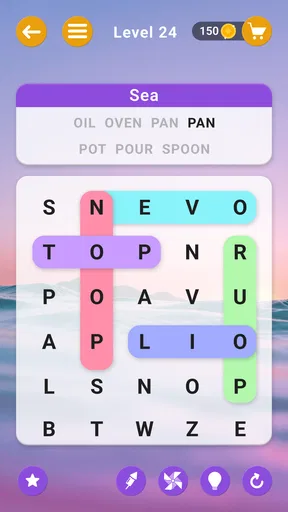
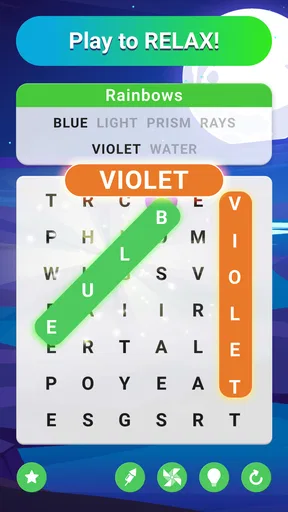
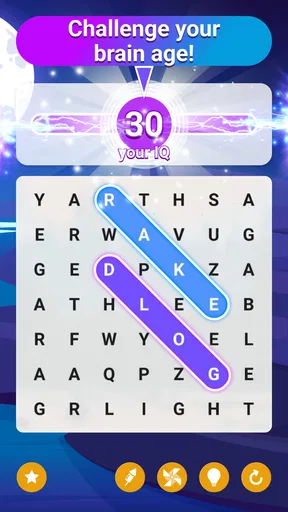
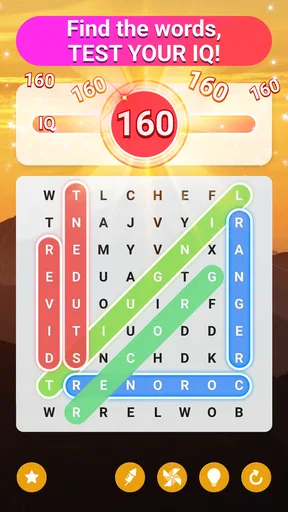
The basic appeal is the directness of the activity. I look across the grid, spot a listed word, and swipe through its letters. There’s no long explanation to get through before play begins, which is useful when I only have a few minutes. The game’s range of themes and difficulty levels also gives the search a bit of variety: I can choose a lighter puzzle when I want to unwind or a tougher one when I’d rather concentrate.
That flexibility makes it a reasonable fit for different moments in the day. I can imagine opening it while waiting for an appointment, during a quiet lunch break, or at home when I want something more active than scrolling but less demanding than a full-length game. It’s a solo activity that doesn’t require a large block of uninterrupted time. If I need to stop midway through a session, the main value is that the puzzle format is easy to return to mentally.
One practical tip is to change difficulty with your attention, not just your skill. A harder grid can be satisfying when I’m alert, but it can turn a short pause into a frustrating hunt if I’m tired or distracted. On those occasions, choosing an easier level is not a retreat; it keeps the game useful as a break. The reverse is true too: if I’m scanning without really engaging, moving up in difficulty can make the familiar format feel fresh again.
Offline play and hints change how I use it
The ability to play offline is especially handy for situations where a connection is unreliable or I simply want a small activity that doesn’t depend on Wi-Fi. I’d consider it for a commute, a waiting room, or travel downtime, while keeping in mind that the offline advantage is about access to play—not a reason to expect every connected feature to behave the same way without a network.
Hints are useful when I’ve searched the same patch of letters repeatedly and stopped seeing it clearly. I try to treat one as a nudge rather than the default way through a puzzle: scan in a different direction first, and use help when the search has become stale. That makes the hint more valuable and keeps the puzzle from turning into a sequence of taps to reveal answers. It also gives me a simple way to manage the trade-off between finishing quickly and doing the word-finding myself.
Worth Reading Before You Choose

EA SPORTS FC Mobile 26 Is a Bigger Football Game, but It Takes Time

Flipboard Shows What News Apps Must Do Beyond the Feed

Switching to Android Auto Means Rethinking Your Driving Routine

Google Calendar Makes a Crowded Week Easier to Manage

Ludo King Makes the Most of the Minutes Between Plans

Baby Panda World Brings Quick Play to Modern Phones, but Its Game Library Feels Busy
For a realistic everyday routine, I’d open it while waiting for coffee, choose a difficulty that fits the few minutes I have, and play until my order is ready. If I’m interrupted, the game’s straightforward format makes it easy to set aside without needing to remember a complicated story or strategy. Daily challenges can give regular players a reason to return, but I wouldn’t make a daily streak the point of downloading it. The strongest use is still a self-contained word-search session whenever a small mental diversion sounds appealing.
How it compares with other word games
Compared with crossword-style puzzles, a word search asks less of me in terms of clue interpretation and more of my visual scanning. That makes it a better choice when I want to recognize and locate words rather than solve definitions. Compared with word-building games, where letters must be rearranged into answers, this is more about spotting a word already laid across the grid. Neither format is universally better; the right choice depends on whether I’m in the mood for visual hunting, vocabulary recall, or constructing words.
It also differs from competitive word games that put pressure on speed or an opponent. Here, the attraction is a calmer pace and the ability to choose a level that suits my mood. If I want a social challenge, a head-to-head format would be a better fit. If I want a quiet puzzle I can play alone, this game’s familiar grid is the more natural option. That distinction matters more than a long feature checklist: the core activity is deliberately simple, and people who dislike searching letter patterns may find that simplicity limiting rather than relaxing.
What to expect from the free version
The game is free, with in-app purchases listed from $0.99 to $84.99 per item. I’d treat that range as a reason to check each purchase carefully rather than assume every paid option is small or necessary. The original experience includes ads that may appear from time to time, and the published review describes an option to remove them with a purchase. If interruptions are a deal-breaker for you, decide how much they affect your sessions before spending; if they’re only an occasional annoyance, you may prefer to try the free game first.
There’s a useful distinction between a game being free to start and being free of every possible cost. You can begin without paying, but in-app purchases are part of the experience as offered. I wouldn’t buy anything just to make progress in a puzzle I can solve with a little more scanning. For someone who plays often, an optional purchase may feel worthwhile if it addresses a specific irritation, but I’d base that choice on actual use rather than on the assumption that paying is required to enjoy word searches.
Small frictions worth weighing
In my experience, the game has occasionally lagged after longer sessions, and restarting helped. That’s a modest but real drawback: if you tend to play for a long stretch, a brief interruption can break concentration. I’d avoid assuming every session will run perfectly, especially if the game has been open for a while. For quick rounds, this is less likely to shape the whole experience, but it is worth knowing if you expect a completely seamless long-session puzzle.
Ads are another trade-off. They can interrupt the relaxed rhythm that makes a word search appealing, even if they don’t bother every player equally. I’d be more patient with them during occasional short sessions than during a long run of puzzles. If you know that even periodic ads spoil your focus, a paid, ad-free alternative may suit you better. If you’re unsure, starting free gives you a chance to judge the interruption in your own routine before making that comparison.
The content rating is Everyone, which makes the game suitable for a broad audience on that basis. I’d still choose it for the kind of player who actually enjoys letter grids: a family member looking for a straightforward solo puzzle, a casual player who wants short sessions, or a word-game fan who likes switching between formats. It is less compelling for someone who wants rich narrative progression, multiplayer competition, or a new mechanic in every round. A simple game is a strength only when its central activity is the one you want.
Getting started and deciding whether to keep it
The game was released on May 26, 2022, and its current version is 3.0.15. It supports devices running Android 8.0 or later. In practical terms, that gives Android users a clear compatibility baseline to check before installing; iOS players should use their device’s store compatibility details. I wouldn’t choose a word-search app on version number alone. The more important test is whether the grid presentation, difficulty choices, interruptions, and general pace feel comfortable during a real session.
Switching to another word-search app is easy in one sense: the basic rules are familiar, so there’s little learning cost. The harder part is deciding whether you prefer another app’s presentation, puzzle selection, or approach to interruptions. I’d give this one a few short sessions at different difficulty levels before judging it. That is enough to see whether the search feels satisfying or repetitive, whether hints help without taking over, and whether ads or occasional lag bother you more than the activity entertains you.
If you already enjoy word searches on paper, this offers a convenient phone version for moments when carrying a puzzle book isn’t practical. If you usually prefer crosswords or anagrams, I’d still try it only when I’m in the mood for a different kind of concentration. The familiar format is an advantage for quick access, but it also means the game’s appeal depends heavily on whether scanning a grid is something you find relaxing. There’s no need to force it into your routine if another word-game style holds your attention better.
Getting Started
First off, downloading and setting up the Word Search - Word Puzzle Game is a breeze. Available on both Android and iOS, it doesn't take up much space on your device, which is always a win for me. Once installed, you're greeted with a clean and intuitive interface that’s super easy to navigate. No fuss, no muss—just straight to the fun part!
Features That Stand Out
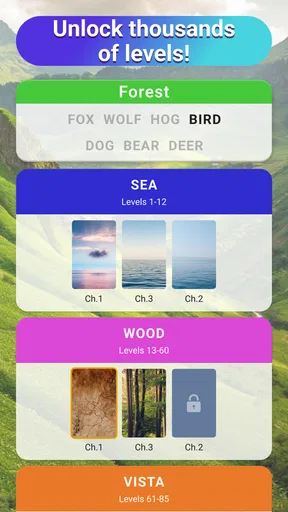
Now, onto the meat of the app. What really caught my attention were the variety of themes and levels available. Whether you're into nature, science, or a bit of pop culture, there's something for everyone. And let's not forget the different difficulty levels. From easy-peasy to downright head-scratching, you can choose your own adventure depending on how much you want to challenge yourself that day.
Another cool feature is the option to play offline. This is a game-changer for those moments when you're on the go without Wi-Fi. It keeps the brain engaged during commutes or while waiting for your coffee at the local café.
Gameplay Experience
Diving into the gameplay, each puzzle is a delightful challenge. You swipe through the letters to find hidden words, and trust me, it’s as satisfying as popping bubble wrap. The app provides hints if you get stuck, which I shamelessly used more than once. And hey, no judgment here—it’s all about having fun!
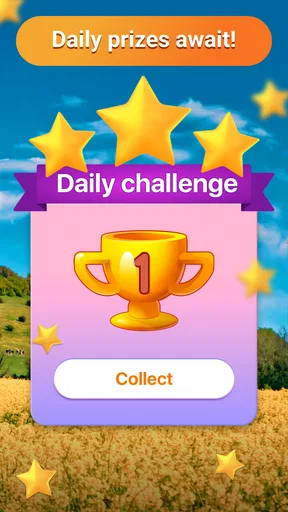
The game also throws in some nifty bonuses and rewards. Completing daily challenges boosts your score and gives you that little nudge to keep coming back for more. I found myself eagerly checking in each day to see what new puzzles awaited.
A Few Quirks
While the app is mostly smooth sailing, there were a couple of times where it lagged a bit, especially after longer gameplay sessions. But a quick restart usually fixed that up. It's not a deal-breaker, but something to be aware of.
Also, for those who are not fans of ads, they do pop up every now and then. You can remove them with a small purchase, which is pretty standard for free apps these days. Personally, I didn’t find them too intrusive, but it’s good to know your options.
Final Thoughts
All in all, the Word Search - Word Puzzle Game is a delightful escape into the world of words. It’s engaging, fun, and a great way to pass the time, whether you're a casual player or a die-hard word nerd. With its variety of challenges and the ability to play offline, it’s definitely a keeper on my phone.
If you're itching to test your vocabulary and keep your mind sharp, this app is worth a download. So go ahead, give it a try, and let me know if you find yourself as hooked as I am!
Pros
- Addictive gameplay keeps you engaged.
- Offers daily challenges for extra rewards.
- Simple interface
- easy to navigate.
- Wide variety of difficulty levels available.
- Offline mode for on-the-go play.
Cons
- Ads can be intrusive during gameplay.
- Limited themes without in-app purchases.
- No multiplayer mode available.
- Repetitive puzzles after long playtime.
- Occasional lag on older devices.
FAQs for Word Search - Word Puzzle Game
What is the main objective of Word Search - Word Puzzle Game?
The main objective of Word Search - Word Puzzle Game is to find and highlight all the hidden words within a grid of letters. Players must locate words that fit the given theme or category, challenging their vocabulary and observational skills. As you progress, the puzzles become more complex, enhancing the gameplay experience.
Is Word Search - Word Puzzle Game suitable for all age groups?
Yes, Word Search - Word Puzzle Game is designed to be accessible and enjoyable for players of all ages. With adjustable difficulty levels, it caters to children, adults, and seniors alike. The game is an excellent way for families to engage in educational fun, improving language skills and cognitive abilities across generations.
Does the game require an internet connection to play?
Word Search - Word Puzzle Game can be played offline, making it convenient for users who do not have constant internet access. However, certain features, such as daily challenges or social integrations, might require connectivity. This flexibility allows for continuous gameplay whether you’re online or offline.
Are there any in-app purchases or advertisements in the game?
The game offers a free version supported by advertisements, which can be removed by making an in-app purchase. Additionally, there may be optional purchases for hints or additional themes. These purchases are not necessary to enjoy the game, allowing players to decide on their preferred experience.
How does Word Search - Word Puzzle Game support player progress and rewards?
The game includes a rewarding system that tracks player progress and achievements. As you complete puzzles, you earn points and unlock new levels or themes. Achievements keep players motivated and provide a sense of accomplishment, enhancing the overall gaming experience. Regular updates also introduce new challenges and content.


